
Text → Skin
Text to Minecraft Skin: Make a Skin from a Description
Describe a character in a sentence or two and Blocksona paints it as a real 64×64 Minecraft skin, from the front to the back and down to the soles. No photo, no drawing skills, up to 400 characters.
Describe clothes, colors, hair and anything special.
Uses 1 creditNew accounts get 3 free credits.
Tips for a better skin
- Face the camera and fill most of the frame.
- Even daylight beats flash and filters.
- Use the notes to fix colors the photo gets wrong.
Your skin shows up here
Until then, meet Mika. Drag to spin.
An AI Minecraft skin generator that works from text
Text mode is the one Blocksona mode with nothing to upload. You write who the character is and what they wear, and the AI turns those words into all 64×64 pixels of a skin, laid out exactly the way Minecraft reads it. That is text to Minecraft skin: a knight, an astronaut or a frog wizard from one line of words.
Use it when the character only exists in your head, when you want to try several ideas quickly, or when you would rather not upload a picture at all. The result works like every other mode: a 3D preview, the flat texture, Download PNG, Download .mcpack, Edit pixels, and a copy in My skins. Each skin uses 1 credit and usually takes 1 to 2 minutes.
Skins made from one sentence
Four unedited results, each from one short prompt. Click a card to spin the skin in 3D.
Sir Goldie came from “a knight in shiny golden armor with a red cape and a plume on the helmet”, and the cape is painted down his back. Nova asked for “a girl astronaut in an orange space suit with a clear helmet visor”: the helmet became a light blue frame with her face showing through. Ribbit, “a cute frog wizard in a purple robe with yellow stars”, got a frog face and a starry robe that runs down to his feet. Chef Zed shows a limit: his “tall white hat” is a white band around the head, because nothing can rise above the 8-pixel head.
How to write a good Minecraft skin description
The AI paints what you write and guesses the rest. Five pieces of information remove most of the guessing. Put them in this order:
- Who it is. Start with a role or a creature: “a zombie chef”, “a girl astronaut”, “a frog wizard”. This sets the skin color and the face.
- The outfit, top to bottom. Hair or hat, then the top, then trousers or a skirt, then shoes. Going top to bottom follows the body, so the legs and feet do not get forgotten.
- Colors. Give every big piece a color: “orange space suit”, “purple robe”, “black boots”. Two to four main colors read best on 64×64 pixels.
- One standout detail. A badge, a scar, a glowing visor, yellow stars. One detail lands; five details fight over the same few pixels.
- What is on the back. The front is easy to imagine, the back is not. Write “a red cape on the back” or “a quiver of arrows on the back” if you want something there.
Prompt patterns you can copy
Swap the words in brackets for your own. The first four are the exact prompts behind the examples above; the rest are starting points. Put together, the five pieces read like this: “a desert explorer with a tan bucket hat, a white shirt under an olive vest, brown cargo shorts, tall brown boots, a compass badge on the chest, a rolled map on the back” (168 characters).
| Pattern | Example prompt | Why it works |
|---|---|---|
| [role] in [color] [outfit] with [back detail] | a knight in shiny golden armor with a red cape and a plume on the helmet | Role, main color and a back detail in one line (Sir Goldie) |
| [person] in [suit] with [helmet detail] | a girl astronaut in an orange space suit with a clear helmet visor | The face shows through the helmet (Nova, Slim arms) |
| [mob] + [job] | a zombie chef with a tall white hat and a stained apron | A mob face plus a costume everyone recognizes (Chef Zed) |
| [animal] as a [class] | a cute frog wizard in a purple robe with yellow stars | Animal colors on the head and hands, the class in the clothes (Ribbit) |
| Outfit top to bottom | a teen with spiky blue hair, a black hoodie with a white skull, ripped grey jeans, red high-top sneakers | Every body part gets its own instruction |
| Theme + fixed palette | a Halloween pumpkin knight, only orange, black and dark green | A short palette keeps the skin from looking noisy |
| Mood + one face detail | a sleepy wizard in a mustard raincoat, round glasses, teal wellies | One of the Try one examples under the box: a mood, one face detail and a shoe color |
Need more starting points? The Minecraft skin ideas guide collects themes and characters you can generate from one sentence.
What the 400-character limit means
The Describe your character box stops at 400 characters, spaces included. In English that is roughly 60 to 70 words, about three long sentences. Sir Goldie’s prompt is 72 characters, so a strong description rarely needs the whole box.
The limit matches what a skin can hold. A 64×64 skin has room for one character and a handful of details, and a longer list does not give the AI more pixels; it only forces it to choose. If you run out of room, cut filler words first (“very”, “really cool”, “awesome”), then cut details smaller than a button.
The same 400 characters apply to the Extra notes box in the other modes. Text mode has no separate notes box: your description is the whole instruction.
Text mode vs Photo mode: what each is good at
Both give you the same kind of skin file. They are good at different jobs.
| Text mode | Photo mode | |
|---|---|---|
| You start with | A description of up to 400 characters | One clear photo of one person facing the camera |
| Best at | Invented characters, costumes, mobs, fantasy and sci-fi | Looking like a real person: hair, skin tone, glasses, clothes |
| You control | Every color and every piece of the outfit, by name | Likeness; the colors come from the photo |
| Weak at | Looking like one specific real person | Characters that do not exist |
| Fixing a detail | Change the description and generate again | Add a line in Extra notes |
| Uploads | None | The photo is deleted within 24 hours and never used for training |
Already have a drawing of the character? Image to Minecraft skin copies its exact design. Want yourself in the game? Use Photo to Minecraft skin, or Pet to Minecraft skin for your dog or cat.
Prompt do’s and don’ts
Works well
- Name a color for every big piece of clothing
- Describe trousers and shoes, or the AI will choose them for you
- Put back details into words: “a red cape on the back”
- Keep it to one character per description
- Set Classic 4px or Slim 3px arms before you generate
Avoid
- Listing ten accessories: the whole face is 8×8 pixels
- Asking for things outside the body, like wings that stick out, a held sword or a tall hat
- Relying on a character’s name alone instead of describing the look
- Asking for words or names written on the skin; letters do not fit at this size
- Describing a scene or a background, since a skin has none
How to make a Minecraft skin from text
- Step 1
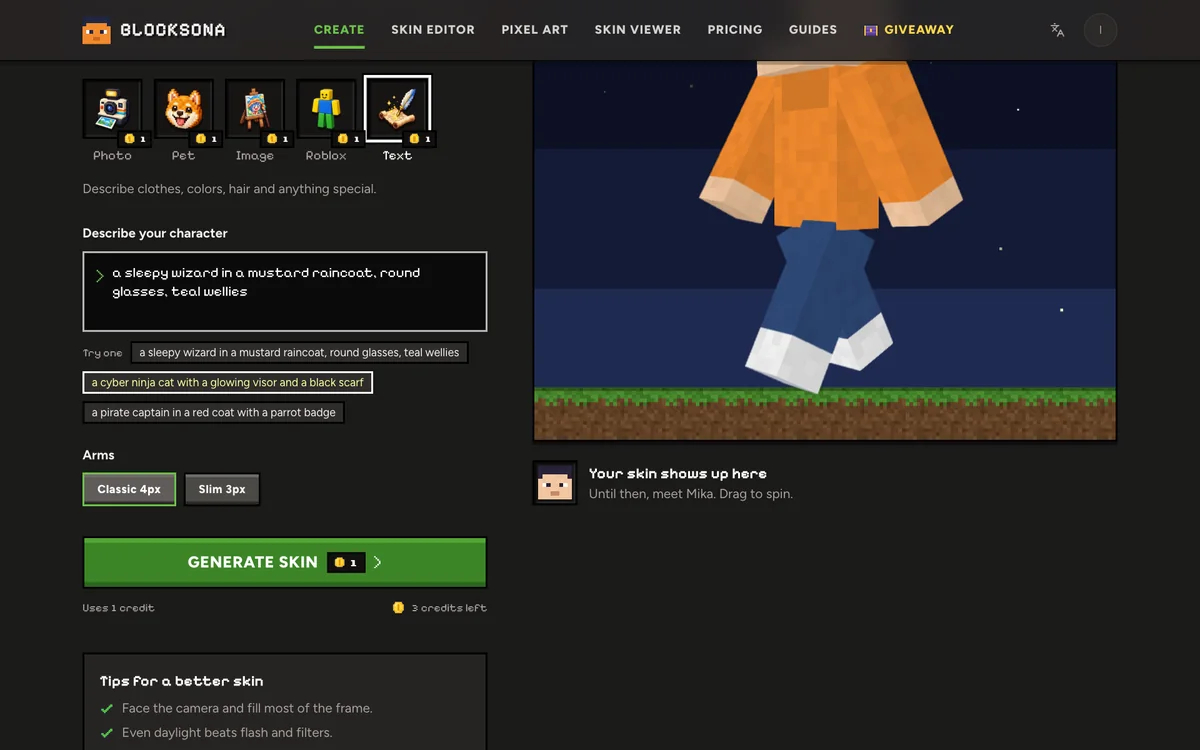
Open Text mode
Use the Workbench at the top of this page, set to Text, or open the full Workbench and pick Text. Sign in to generate; new accounts get 3 free credits.
- Step 2
Describe your character
Write in Describe your character, or tap one of the Try one examples under the box and change it until it is yours. Follow the order above: who, outfit top to bottom, colors, one detail, the back.
- Step 3
Pick the arm model
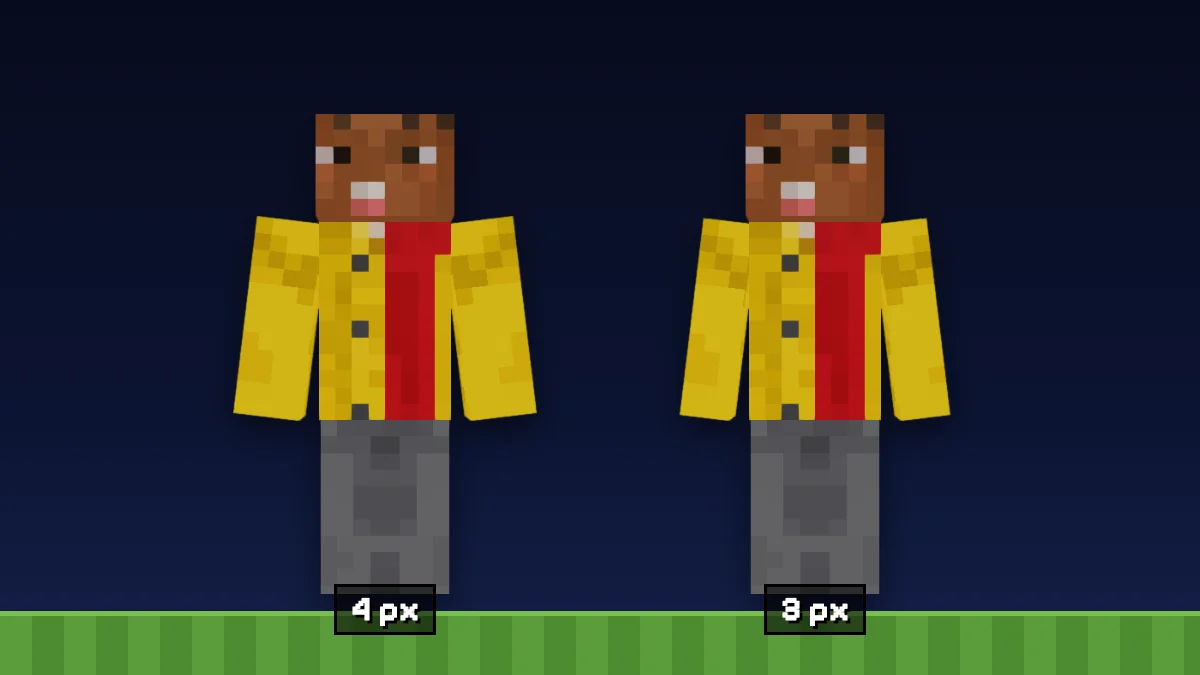
Classic 4px for most characters, Slim 3px for slender ones like Nova. The classic vs slim arms guide shows the difference side by side.
- Step 4
Generate
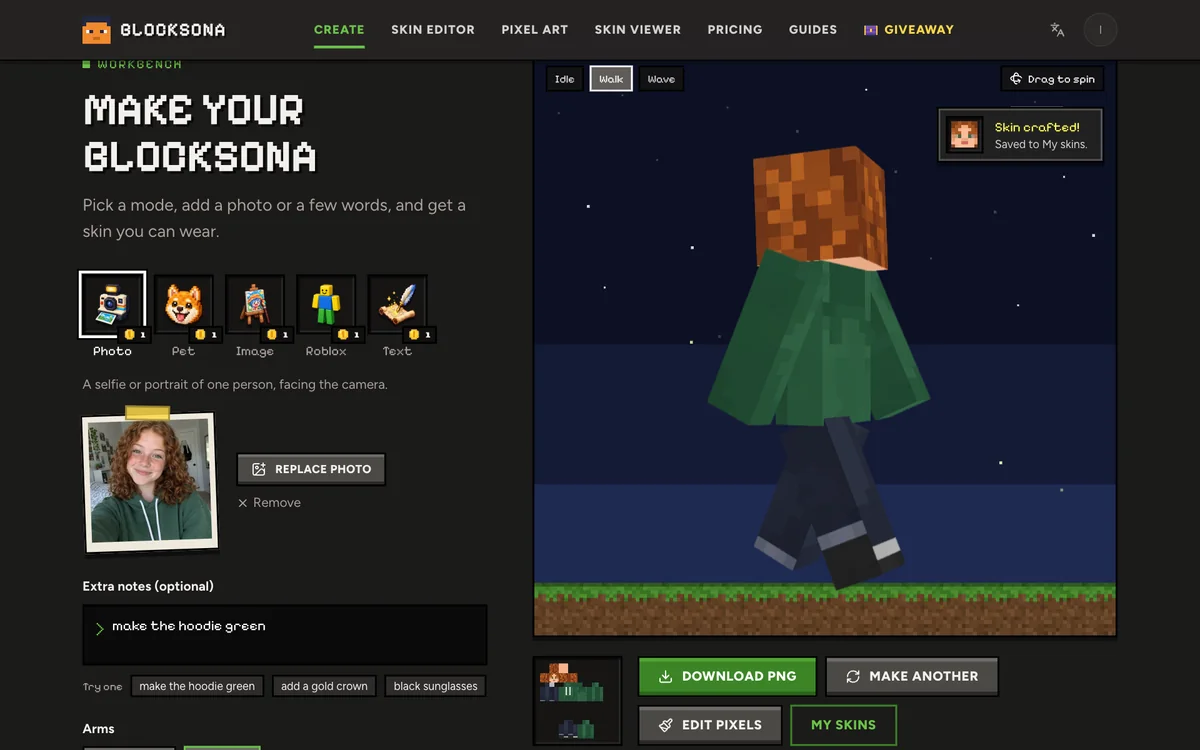
Press Generate skin. It usually takes 1 to 2 minutes and you can leave the page. If the first model’s result does not fit, it is repainted at no extra cost, and a failed generation refunds its credit.
- Step 5
Wear it
Download PNG for Java, Download .mcpack for Bedrock on Windows, iPhone, iPad and Android. Full steps: Java install guide, Bedrock install guide.
Iterate: rewrite, regenerate, then touch up by hand
In Text mode the description box doubles as your notes box. If the first skin is close but the boots came out brown, add “black boots” to the description and generate again. Each new try uses 1 credit, and every version stays in My skins, so you can compare them and keep the best one.
Change one thing at a time. Rewriting the whole description throws away what was already working.
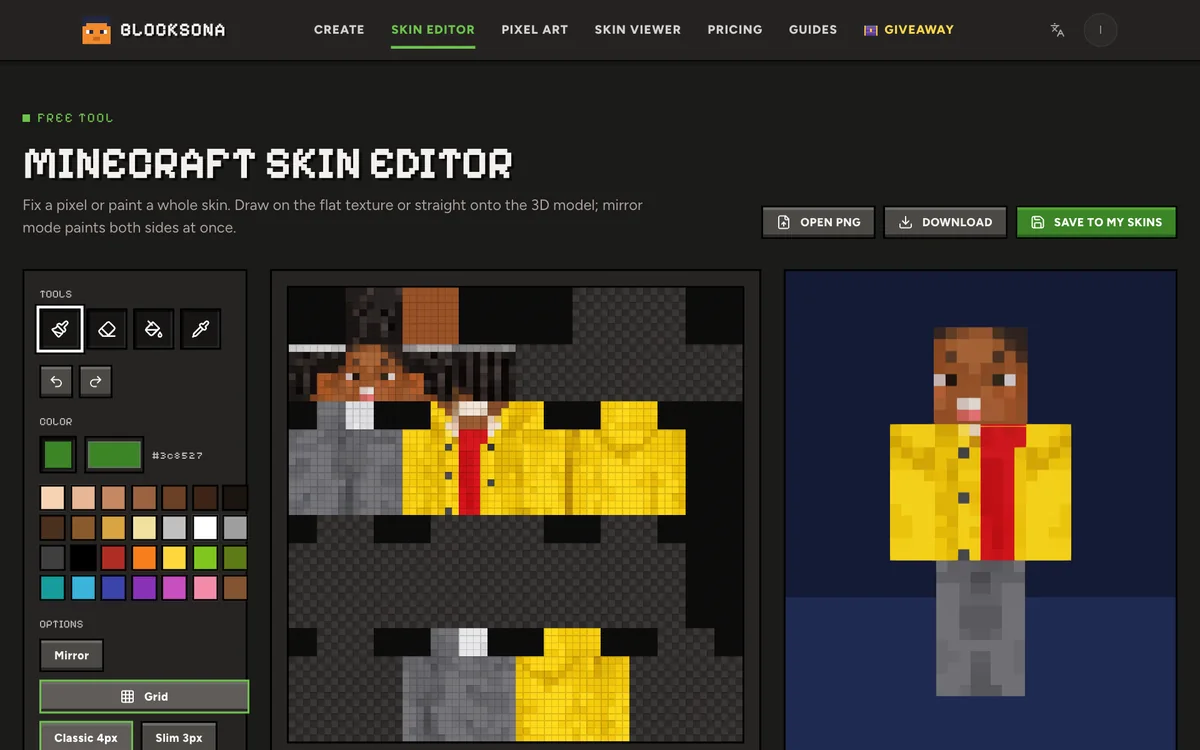
Small fixes do not need a new credit. Press Edit pixels and finish in the free Minecraft skin editor: recolor the boots with Fill, add a badge with the Pencil, and turn on Mirror to keep both sides matching. The skin editor guide covers every tool.
Other ways to make a skin
- Image to skinAlready drew the character? Upload the drawing instead.
- Photo to skinTurn a selfie into a skin that looks like you.
- Pet to skinMake your dog, cat or parrot into a pet-sona.
- Roblox to skinBring your Roblox avatar over by username.
- 3D skin viewerCheck any skin in 3D and save its face as an avatar.
- Pricing1 credit per skin, 3 free to start, packs from $4.99.
FAQ
Questions people ask
How long can my description be?
Up to 400 characters, spaces included, which is about 60 to 70 English words. Most good prompts are under 150 characters. The box simply stops taking text at the limit.
Do I need a photo for text to Minecraft skin?
No. Text mode works from your words alone, and nothing is uploaded. If you do have a picture of the character, Image mode will follow it more closely.
Can I make a mob, an animal or a robot?
Yes, as a character with a player-shaped body. Every Minecraft skin has a head, a body, two arms and two legs, so a creeper, a cat or a robot becomes a humanoid version in its own colors, like Ribbit the frog.
Can I just type the name of a famous character?
A name alone is a gamble. Describe how the character looks instead: hair, outfit colors and the one item people know them by. The AI paints from the description you give it.
Will the same description give the same skin twice?
Not exactly. Each generation is painted fresh, so the same words can come out a little different. If you love a result, it is already saved in My skins.
Can the skin have a cape or wings?
They can be painted on the back, the way Sir Goldie’s cape is. They will not stick out of the model, and Minecraft’s real capes are separate from skins.
Can I write my name on the skin?
Not reliably. Letters need more pixels than a skin has. You can paint initials or a small symbol yourself in the skin editor.
How much does text to skin cost?
1 credit per skin, however long the description is. New accounts get 3 free credits, and packs start at $4.99 for 20 (see pricing). A failed generation refunds its credit.
Where can I find ideas for a description?
Start with the Minecraft skin ideas guide, or tap a Try one example under the box and change it.
Guides
Read next
 30 Minecraft skin ideas with prompts you can copy and pasteCool Minecraft skin ideas as ready-to-paste prompts: fantasy, jobs, animals, sci-fi, seasonal and matching skins for friends, plus a formula for your own.
 How to use a Minecraft skin editor: edit any skin pixel by pixelA step-by-step tutorial for the free Blocksona skin editor: open a skin, read the 64×64 map, use every tool and shortcut, shade it, and wear it in game.
 Minecraft skin classic vs slim arms: Steve or Alex, and how to pickClassic arms are 4 pixels wide, slim arms 3. See where each sits on the 64×64 skin, what goes wrong with the wrong model, and how to check and pick yours.
 How to change or install a skin in Minecraft Java EditionChange your Minecraft Java skin in about a minute with the launcher or minecraft.net. Steps for Windows and Mac, classic vs slim arms and fixes that work.
Further reading
Outside sources, for the details behind this page.
- Minecraft Wiki: SkinWhat a skin file contains, so you know which parts your description has to cover.
- Minecraft Wiki: PlayerThe fixed player body every description has to fit, 8-pixel head included.
- Microsoft Learn: Packaging a Skin PackWhat is inside a .mcpack, the file Bedrock imports when you choose Download .mcpack.
By the Blocksona teamUpdated