
Best photo for an AI Minecraft skin: 5 rules with examples
A Minecraft face is 8×8 pixels, so the photo matters. Five rules, real before and after examples, tips for pets, drawings and Roblox, and a quick checklist.
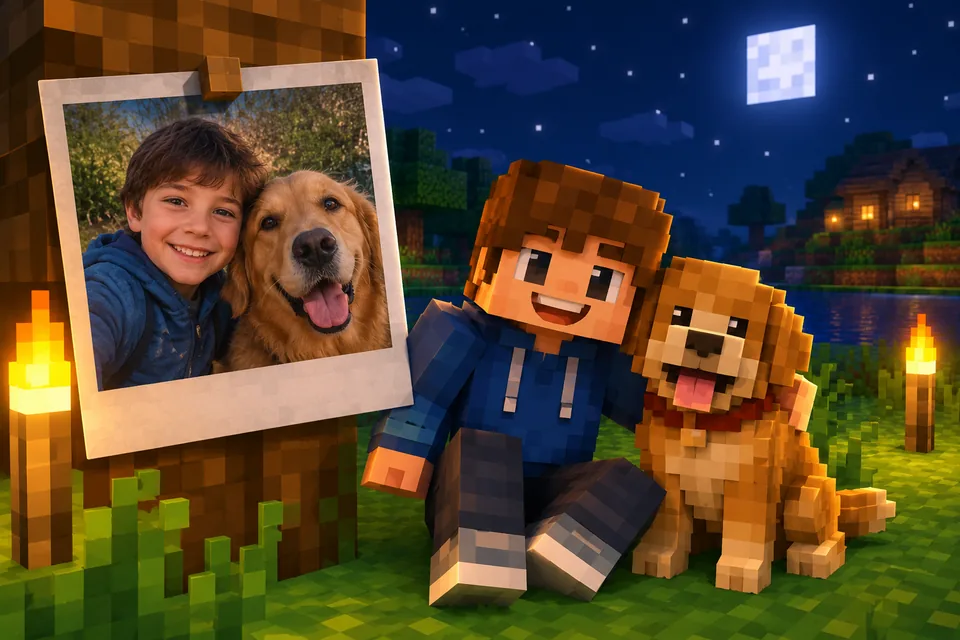
A Minecraft face is 8 by 8 pixels. That is 64 squares to say who you are. When Blocksona turns a photo into a Minecraft skin, it reads your hair, skin tone, glasses and clothes and paints them into those few pixels, plus the rest of the 64×64 skin. So the photo you start from matters more than anything else. Below are the five rules for the best photo for a Minecraft skin, why each one matters at that size, real before and after examples, and a checklist you can run through in ten seconds.
Why the photo matters so much at 8×8 pixels
At 8×8, each eye is about two pixels and the mouth is a short line. Eyelashes, dimples and small earrings simply do not fit. What makes a skin look like you is the big stuff: hair color and shape (the hair also covers the top, sides and back of the head), skin tone, glasses, a beard, and the colors of your top on the 8×12 front of the body.
It is the same trade-off as in any pixel art: with so few squares, every one has to count. If you want to see exactly which part of the 64×64 file is the face, the hair and the sleeves, the Minecraft Wiki page on skins has the full layout.
A good photo shows those big things clearly. A bad one hides them, and the model has to guess.
The five rules
1. One subject
Crop to one person or one animal. In a group photo the model has to decide whose hair, whose hoodie and whose face belong on the head, and it can mix them up. If the only good picture of you is a group shot, crop it first so you fill most of the frame.
2. Face the camera
The front of the head is one 8×8 face. Your eyes, eyebrows and mouth land there. A side profile shows one eye and half a mouth, so the model has to invent the other half. Look straight at the lens with your chin level. A mirror selfie is fine as long as your face is visible and the phone does not cover it.
3. Even daylight
Every pixel on a skin is one flat color. A hard shadow across your cheek can turn into a dark pixel that looks like a bruise or a beard. Warm lamps make skin orange, flash washes it out, and colored party lights tint your hair. Stand facing a window during the day and you get true colors.
4. Show the outfit
The body front is 8×12 pixels and each arm is 4 or 3 pixels wide, so your top is a big part of the skin. A head-to-waist shot lets the model copy your hoodie, stripes or overalls. A face-only crop works, but the model has to invent the clothes. A full-length photo is even better, because then trousers and shoes come from you too.
5. No heavy filters
Beauty filters smooth away freckles and blur glasses. Sunglasses hide your eye color. Sticker filters, like dog ears or flower crowns, get painted onto the skin as if they were real. Use the plain photo.
Before and after: real examples
These are unedited results from the generator. The input photos were made with AI, so no real people are shown. Click a card to spin the skin in 3D and compare it with the photo.
What they show:
- Ivy is a close selfie, head and shoulders only. Her curly red hair, green eyes and green hoodie with white drawstrings all came through. The dark trousers were invented, because the photo did not show her legs.
- Kofi, Grandpa Joe and Dev are full-length photos facing the camera, so the trousers and shoes came from the photo too: Kofi's grey trousers under his yellow raincoat, Grandpa Joe's dark trousers under his brown cardigan.
- Dev's black glasses became a row of dark pixels across the eyes, and his stubble became a band of darker skin around the mouth. That is how much detail 8×8 holds.
- Grandpa Joe's grey flat cap takes the top rows of the face. Hats and caps work well because they are big shapes.
- Mei is a mirror selfie with a phone in her hand. It works because her face and her pink tee are both clear.
Pets: two extra rules
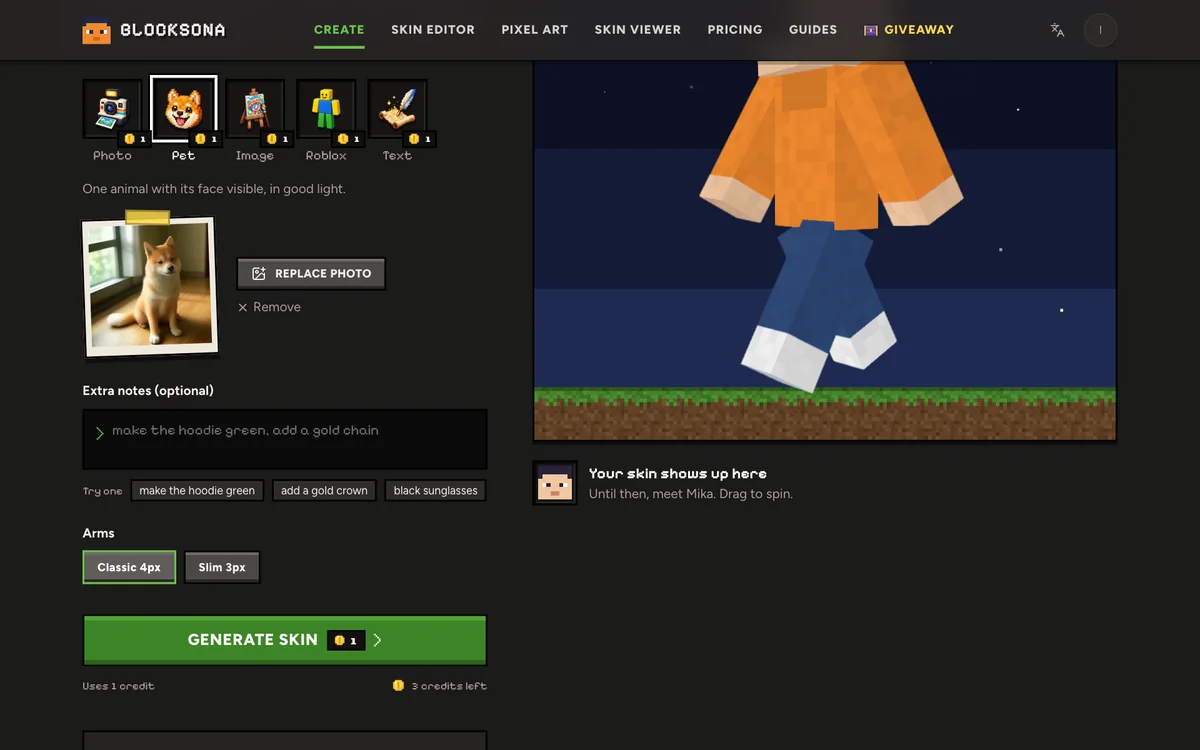
The five rules apply to pets too: one animal, facing you, in daylight, no filters. Two more help a lot:
- Get the whole face in the frame, ears included. Ear color and shape land on the top and sides of the head. Crouch to the animal's eye level.
- Show the coat. A photo where you can see the body helps with patterns like tabby stripes, white socks or the black and white of a border collie.
Mango's white chest and white paws, Pepper's black and white coat and Kiwi's red forehead all came from photos that show the animal facing the camera with its body in view. A shot of your dog running, or of the back of its head, will not give the model enough to work with. The pet to Minecraft skin page has more examples, and our guide on how to make a Minecraft skin of your pet goes step by step.
Drawings, characters and Roblox screenshots
Not everything has to be a photo.
- Drawings, fan art and mascots go in Image mode. One character, facing forward and with the full body showing works best. Clear outlines and flat colors help, so a child's crayon drawing, like Captain Comet below, is a good input. Very busy pictures, several characters at once and tiny details are harder. See image to Minecraft skin.
- Roblox avatars go in Roblox mode. Type a username and Blocksona loads that avatar's public full-body picture: no password, no login. Or upload a screenshot of your avatar standing and facing the camera. See Roblox to Minecraft skin.
- No picture at all? Describe the character in up to 400 characters in Text mode. It is also a good choice for parents who would rather not upload a child's photo. See text to Minecraft skin.
Quick checklist
| Check | Good | Avoid |
|---|---|---|
| Subject | One person or one animal | Group photos (crop them first) |
| Angle | Facing the camera, both eyes visible | Side profiles, looking down at the phone |
| Light | Daylight from a window, even on the face | Flash, dark rooms, colored lights |
| Framing | Head to waist or full length, subject fills the frame | Tiny figure far away |
| Face | Clear and uncovered; normal glasses are fine | Sunglasses, masks, hands over the face |
| Filters | None | Beauty filters, stickers, face effects |
| Pets | Whole face with ears, coat in view | Back of the head, blurry action shots |
| File | A normal phone photo in JPG, PNG or WebP | Screenshots of screenshots, very blurry files |
You do not need a huge file. Your browser shrinks the photo to 1024 pixels before upload, so any ordinary phone photo is plenty.
Fix the rest with Extra notes and the editor
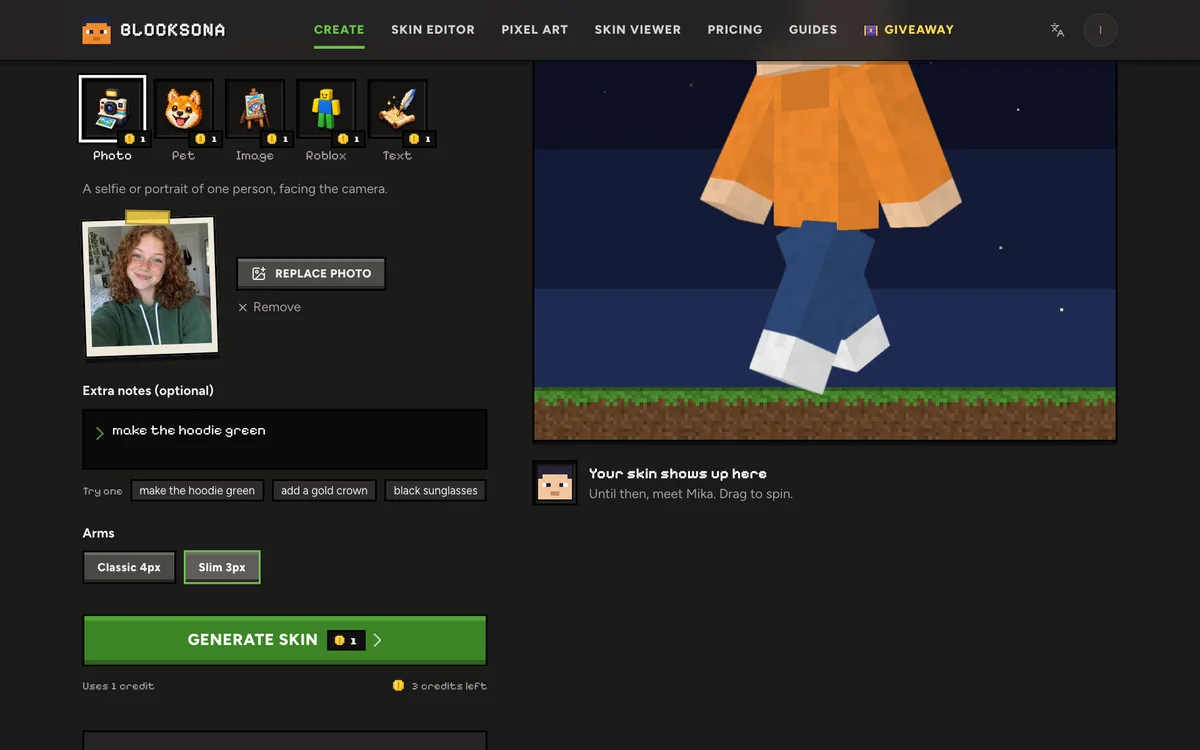
A photo will not always get every color right. The Extra notes box in the Workbench takes up to 400 characters and costs nothing extra. Write what to change, plainly:
- "hair is dark red, not brown"
- "make the hoodie green"
- "add my gold crown"
- "white paws"
If the first model's result does not fit the skin layout, Blocksona paints it again automatically at no extra cost, and if a generation fails, the credit is refunded. Anything still off after that, click Edit pixels on the result and fix it in the free skin editor; the skin editor guide shows how.
For parents: the photo is used for that one skin only, deleted automatically within 24 hours and never used to train models. The finished skin stays in your private My skins library until you delete it.
Then wear it
Check your new skin in the 3D skin viewer or right on the result screen, then follow the guide for your game: Java Edition, or Bedrock on Windows, iPhone and Android. Not sure whether to pick classic or slim arms? Read classic vs slim arms. For the whole selfie process, see how to make a Minecraft skin of yourself.
FAQ
Can I wear glasses in the photo?
Yes. Normal glasses usually become a row of dark pixels across the eyes, like Dev's. Sunglasses hide your eyes, so take them off, and add "black sunglasses" in the notes if you want them on the skin.
Does the photo need to be high resolution?
No. The browser shrinks it to 1024 pixels before upload, and the skin is 64×64 anyway. Sharp and well lit matters more than size.
Can I use a group photo?
Crop it to one person first. Blocksona makes one skin per photo, and a group shot makes it guess whose features are whose.
Why doesn't the skin look exactly like me?
An 8×8 face holds colors and big shapes, not fine features. Likeness comes from hair, skin tone, glasses and outfit. If one of those is off, fix it with a note or in the editor.
What happens to my photo after the skin is made?
It is used for that one generation only and deleted automatically within 24 hours. Photos are never used to train models.